Amazon
Amazon Attribution Tags Explained: maas, Macros and What Amazon Reports
What an Amazon Attribution tag is, what maas and the Facebook macro tag do, how Meta fills {{ad.id}}, what Amazon reports, the 14-day window and the delay.
By PixlBridge Team
Updated 9 min read
On this page
An Amazon Attribution tag is the short run of URL parameters that tells Amazon which outside click led to a product page visit, an add to cart or a purchase. For Facebook and Instagram ads, it’s also how Amazon can report results for each campaign, ad set and ad. This guide takes a tag apart: the maas parameters, the Facebook macro tag and the {{campaign.id}}, {{adset.id}} and {{ad.id}} placeholders Meta fills in, what Amazon reports, the 14-day attribution window, and why the report always looks a day or two behind.
What an Amazon Attribution tag is
A tag is a set of URL parameters added to the end of an Amazon address. On a product page it looks like this:
https://www.amazon.com/dp/B0EXAMPLE1?maas=…&ref_=aa_maas&tag=maasB0EXAMPLE1 stands for the ASIN, the product’s 10-character Amazon id, and the … for the tag’s own code. The three parameters after the question mark are the tag:
| Parameter | What it is |
|---|---|
maas=… | The tag’s own code, made by Amazon. It’s how Amazon knows which tag a click came through, so each tag has its own. |
ref_=aa_maas | A fixed value that Amazon puts in its Attribution tags. Leave it as it is. |
tag=maas | Also fixed. An address holds one tag value, so an affiliate or other tag in the same address conflicts with it. |
Copy tags exactly as Amazon gives them: a tag that loses part of its maas code no longer points at your tag. Add them to a clean product address (amazon.com/dp/ and the ASIN), because addresses copied from search results can carry parameters of their own. A Brand Store page can carry a tag in the same way.
The Facebook macro tag
For Facebook, Amazon offers a macro tag: one tag with three placeholders added after the usual parameters. Split over lines to read it:
?maas=…&ref_=aa_maas&tag=maas
&aa_campaignid={{campaign.id}}
&aa_adgroupid={{adset.id}}
&aa_creativeid={{ad.id}}
The words in double curly brackets are Meta’s dynamic URL parameters. When someone clicks the ad, Meta replaces each one with a real id, so Amazon receives the ids of the campaign, the ad set and the ad that brought the shopper:
| Meta placeholder | Meta fills in | Amazon parameter | In Amazon’s report |
|---|---|---|---|
{{campaign.id}} | The campaign’s id | aa_campaignid | Campaign |
{{adset.id}} | The ad set’s id | aa_adgroupid | Ad group |
{{ad.id}} | The ad’s id | aa_creativeid | Creative |
Amazon creates a campaign and ad group in your Attribution account for each new value it receives. That’s why one macro tag can go into several ads: each click carries its own ad’s ids, and the report breaks the results down by campaign, ad set and ad without you building anything by hand. The report shows ids rather than names, and Ads Manager can show the id of each campaign, ad set and ad, so you can match them up.
Where the placeholders get filled
The tagged address goes in the ad’s Website URL in Ads Manager, with the placeholders as they are. Meta only fills them when someone clicks the running ad. If you test by pasting the tagged address into a browser, the click reaches Amazon with the text {{ad.id}} instead of an id, and it names no ad. Test from the live ad on a phone instead.
When a tracking link adds the tag for you
A redirect link can add the tag on the way to Amazon, so the ad itself only holds the short link. With PixlBridge, the link you paste ends in ?pb_ad={{ad.id}}: Meta fills in the ad’s id there, and PixlBridge adds the Amazon Attribution tag, with the ids of the ad the link is in, when it sends the shopper on to Amazon. Duplicating the ad can’t lose the tag, because the tag lives on the link.
Meta’s long ids: what PixlBridge noticed
Meta’s newer campaign, ad set and ad ids are 18 digits long. In November 2026, PixlBridge noticed in its customers’ data that clicks whose aa_ values were these 18-digit ids didn’t appear in Amazon’s report, while clicks with 13- to 15-digit ids were reported. Amazon doesn’t document a limit, so read this as an observation, not a rule. PixlBridge now sends a stable 15-digit stand-in for long ids and reads it back as the real ad. If you make tags by hand and your ids are 18 digits long, check that the clicks show up in Amazon’s report within a few days.
What Amazon reports for a tag
| Metric | Plain meaning |
|---|---|
| Click-throughs | Clicks on your tagged link that reached Amazon |
| Detail page views (DPV) | Visits to your product page, the detail page, after those clicks |
| Adds to cart | Times the product went into an Amazon cart |
| Purchases | Orders |
| Units | Items sold, since one order can hold several |
| Sales | What those purchases were worth |
| Brand Referral Bonus | Amazon’s estimate of the bonus on those sales, if you’re enrolled in it |
From these you get the numbers that drive decisions. Purchases ÷ click-throughs is the conversion rate of an ad’s clicks, and the ad’s Amazon sales ÷ its spend in Ads Manager is its ROAS (return on ad spend). The Brand Referral Bonus guide explains how the bonus estimate becomes a credit.
The 14-day attribution window
Amazon credits a click with an add to cart or purchase made within 14 days of it. A shopper who taps your ad on the 1st and buys on the 10th counts for that ad. The flip side: the numbers for a period keep growing for up to two weeks after it ends, so last week’s ROAS can still rise.
Meta counts differently. Ads Manager credits purchases by its own attribution settings, such as 7-day click, and can only count the purchases it hears about. Even when Amazon purchases are sent to Meta, the two reports won’t match exactly. Compare each with itself over time rather than with the other.
Why the report is a day or two behind
Amazon’s reports arrive with a delay of about a day or two, and the numbers for recent days keep filling in. Ad spend in Ads Manager shows up much sooner, so for the last couple of days spend looks high and Amazon sales look low. That’s the delay, not a failing ad. Judge a week once a few days have passed.
PixlBridge marks the days Amazon hasn’t reported yet, so a new ad shows as waiting for Amazon rather than as losing money.
How PixlBridge handles the tag
- It gets the Attribution tag through the Amazon Ads API when you make a tracking link, so there’s no tag to copy by hand.
- Its tracking link adds the tag, with the ad’s ids, on the way to Amazon, and opens the product in the Amazon app on phones.
- It reads your Attribution reports, matches the sales to your ads, and shows the Amazon sales and ROAS of each ad.
- It sends Amazon purchases and adds to cart to Meta through the Conversions API (CAPI), so Meta can optimize for buyers instead of link clicks.
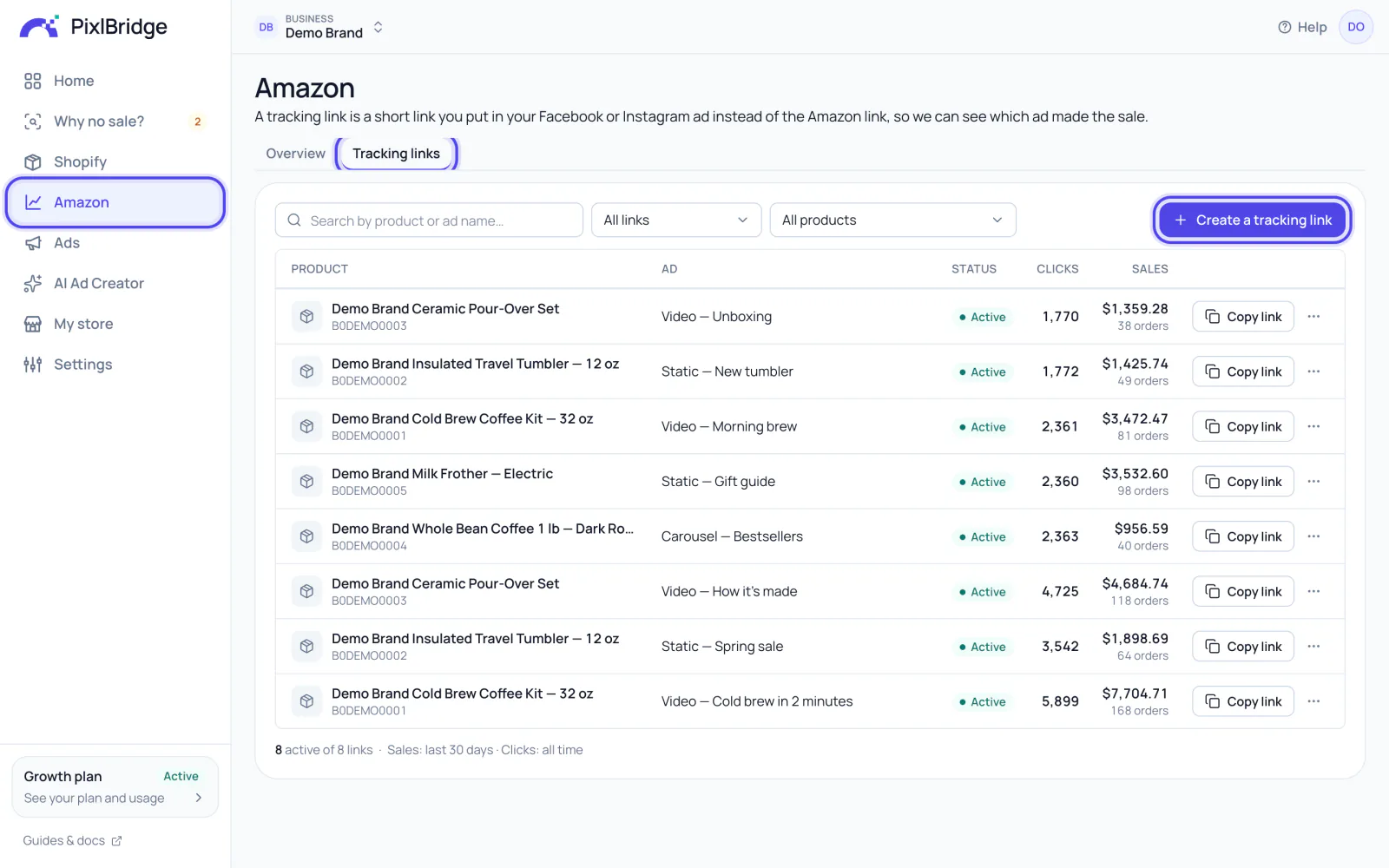
The setup guide shows the steps, and how to find and set up Amazon Attribution covers the Amazon side first.
Common tag mistakes
- Editing or shortening the tag. A partial
maascode points at no tag, so Amazon can’t credit the click. - A second tag value in the address. Affiliate links carry their own
tag=, which conflicts withtag=maas. - A generic link shortener. Some drop the query string, and the tag with it.
- One tag without placeholders in several ads. Amazon reports those ads as one. Use the macro tag, or a tracking link per ad.
- Testing from a browser. The placeholders stay as text, so the click names no ad. Tap the live ad instead.
- Reading the last two days as final. They’re still filling in, and the 14-day window keeps adding sales after that.
Summary
An Amazon Attribution tag is three parameters, maas=…, ref_=aa_maas and tag=maas, on the end of an Amazon address. For Facebook and Instagram, the macro tag adds aa_campaignid, aa_adgroupid and aa_creativeid, which Meta fills with real ids when someone clicks, so Amazon reports results for each campaign, ad set and ad. Amazon credits sales within 14 days of the click and reports them a day or two late. Copy tags exactly, keep other tag values out of the address, and test from the live ad.
Frequently asked questions
What is maas in an Amazon URL?
maas= carries the code of an Amazon Attribution tag. Together with ref_=aa_maas and tag=maas, it tells Amazon which tag a click came through, so Amazon can report what the shopper did afterwards.
What is the Facebook macro tag in Amazon Attribution?
One Attribution tag for Facebook and Instagram ads with three placeholders: {{campaign.id}}, {{adset.id}} and {{ad.id}}. Meta fills them in when someone clicks, so Amazon can report results by campaign, ad set and ad.
Can I use one Amazon Attribution tag for several Facebook ads?
Yes, the macro tag. Each click carries its own ad’s ids, and Amazon creates a campaign and ad group in your Attribution account for each new value it receives. A tag without placeholders can’t tell those ads apart.
How long is the Amazon Attribution window?
14 days. Amazon credits a click with an add to cart or purchase made within 14 days of it, so the numbers for a period keep growing after it ends.
How long does Amazon Attribution take to report?
About a day or two, and the numbers for recent days keep filling in. Wait a few days before judging an ad on its Amazon sales.
Why don’t my Amazon Attribution numbers match Meta Ads Manager?
Each counts its own way. Meta uses its attribution settings, such as 7-day click, and can only count the purchases it hears about; Amazon credits sales within 14 days of a tagged click. Expect the two to differ.
Does Amazon Attribution show the Brand Referral Bonus?
Yes, as an estimate, for brands enrolled in the Brand Referral Bonus. Amazon works out the final credit later and applies it against your selling fees.