Meta Conversions API (CAPI)
Meta CAPI and Facebook ads ROAS, for every ad
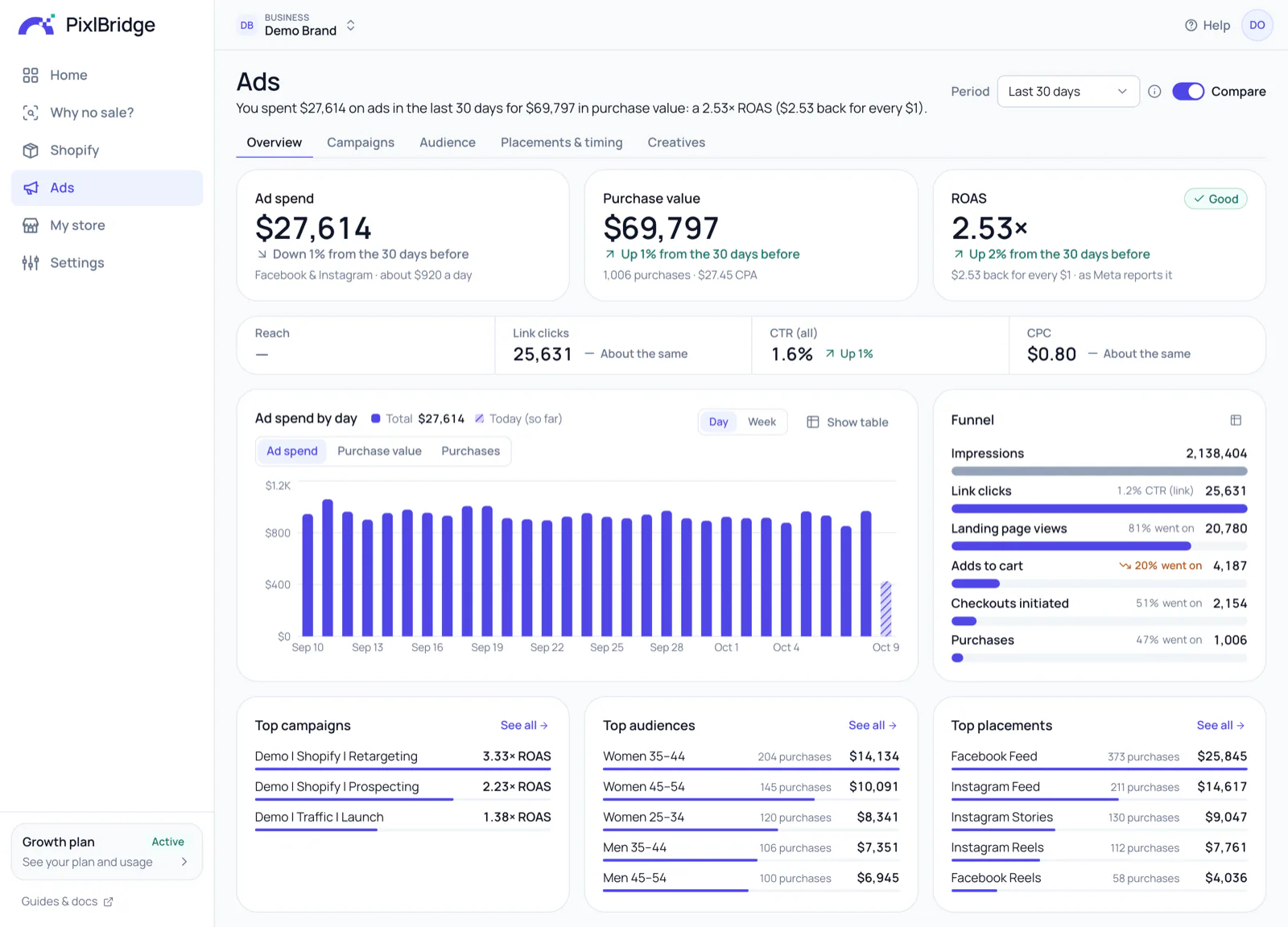
PixlBridge sends your visits and sales to Meta from our server, through the Conversions API, so your ads learn who buys. Then it shows ROAS, CPA and CTR for every campaign, ad set and ad: what each one cost and what it brought back for every $1.
14 days free · No card required · No code
Facebook ads attribution
Which Facebook ads make money
Ad spend, purchases, purchase value, cost per purchase (CPA) and ROAS for every campaign, ad set and ad, so you know which creatives pay off.
- Pro metric names, each explained in one line: ROAS is purchase value ÷ ad spend
- Impressions, reach, frequency, CPM, link clicks, landing page views, video plays and ThruPlays
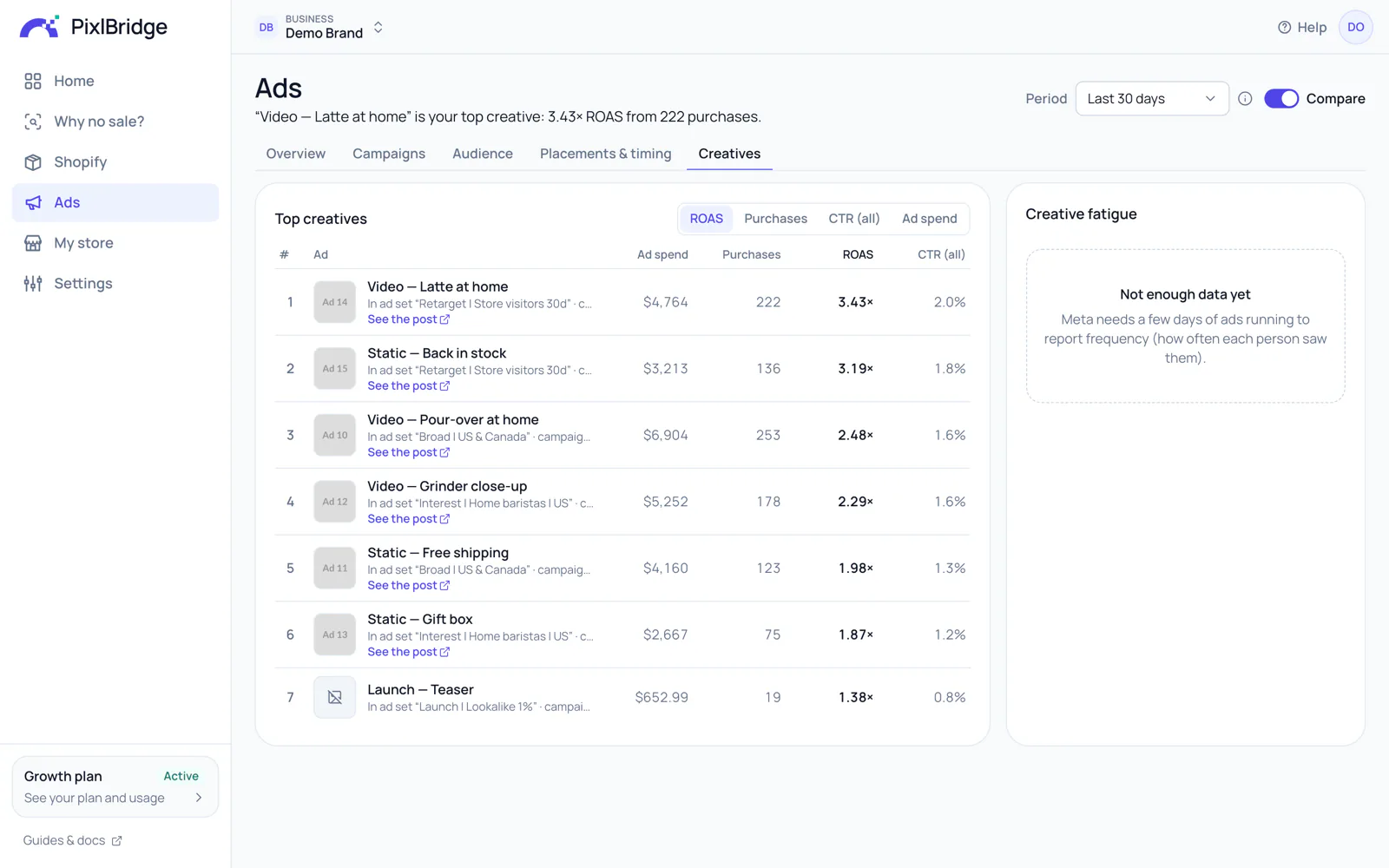
- Your best and worst creatives side by side, so you can pause the ones losing money
- A link to each ad's post, so you know which creative it is
Why no sale?
Visitors but no sales? We tell you why.
When a product or an ad gets traffic but few or no purchases, PixlBridge shows the funnel drop-off and tells you what to fix.
Funnel drop-off
Product views, adds to cart, checkouts initiated, purchases: see the step where people leave, next to your store's usual rates.
Too early, or a real problem?
16 visitors and no sale is often normal. We tell you honestly when it's too early to judge, so you don't switch off a good ad.
What to fix
One clear tip for each problem: the price and photos, shipping costs, ways to pay, or a page that's slow on phones.
Alerts at the time you choose
Turn on a daily or weekly email, at 8 am, 9 am, 12 pm or 6 pm. WhatsApp alerts are coming soon.
Why no sale?· Last 7 days
Cold brew bottle
Product · Last 7 days
Too early to judge sales
Too early16 product viewers and no purchases yet. That's normal: your store's usual conversion rate is 1.7% (about 1 in 60 visitors buys), so a sale usually takes around 60 visitors.
Why it's too early to judge
16 product viewers so farAbout 60 visitors for one sale
Even when nothing is wrong, 16 visitors bring no sale about 8 times out of 10.
Check back once about 60 people have viewed it.
Not enough data yet: Not enough product viewers yet to check the bounce rate
Only 16 people viewed it so far.Looks fine: The product is for sale in your store
It's active in your store.
Linen apron
Product · Last 7 days
Low add-to-cart rate
Needs a lookOnly 2 of 140 product viewers added it to cart (1.4%). Your usual add-to-cart rate is 7%.
Funnel drop-off
- Product viewers140
90 of them came from your Meta ads
- Added to cart2
2 of 140 (1.4%) · usually 7%
Biggest drop-off
- Started checkout1
1 of 2 (50%) · usually 40%
- Added payment info1
1 of 1 (100%) · usually 70%
- Buyers0
0 of 1 (0%) · usually 85%
What to try: Check the price, the photos, the description and that sizes are in stock.
Iced coffee video
Ad · Last 7 days · $46 ad spend
Low landing page view rate
Needs a lookOnly 72 landing page views from 180 link clicks (40%). Your usual landing page view rate is 75%.
Funnel drop-off
- Link clicks180
From your Facebook & Instagram ad
- Landing page views72
72 of 180 (40%) · usually 75%
Biggest drop-off
- Adds to cart3
3 of 72 (4.2%) · usually 5%
- Checkouts initiated1
1 of 3 (33%) · usually 40%
- Purchases0
0 of 1 (0%) · usually 45%
What to try: Check the link works and that the page opens fast on a phone.
Server-side tracking
Every Purchase, sent to Meta (CAPI)
Meta finds buyers by learning from the people who already bought. PixlBridge makes sure it hears about every one.
- PageView and browsing events reach Meta in seconds, purchases within about a minute
- Orders come straight from Shopify to our server, so purchases reach Meta even when browsers block the pixel
- Match keys (email, phone, name, address) are SHA-256 hashed first, the way Meta asks
- Deduplication by event_id, so each sale is counted once. One setting to check
- The tracking on your store follows your store's cookie-consent settings
- Amazon purchases from your ads: coming soon
Sent to Meta (CAPI)
- Purchase · $103.14Bought · Sent to Meta (CAPI) ✓
- InitiateCheckout · $42.67Started checkout · Sent to Meta (CAPI) ✓
- AddToCart · $34.00Added to cart · Sent to Meta (CAPI) ✓
- PageViewVisited your store · Sent to Meta (CAPI) ✓
For the technical folksThe Meta Conversions API, explained
The Meta Conversions API (CAPI) is a server-to-server way to send web, app and offline events to a Meta dataset (what used to be called a Pixel). The browser pixel fires JavaScript on the shopper's device; CAPI is an HTTPS call from a server to graph.facebook.com/{dataset_id}/events. Each event carries a name such as Purchase, a timestamp, a source URL, commerce data (value, currency, content IDs) and a user_data object that Meta uses to match the event to a person.
Because the call comes from a server, ad blockers and Safari's cookie limits don't stop it, and a server knows things a browser can't, such as an order that was paid later. The tracking on your store still follows your store's cookie-consent settings: PixlBridge's web pixel only runs for visitors who allow analytics and marketing where your store asks. Orders themselves come straight from Shopify.
PixlBridge holds checkout and purchase events for about 30 seconds, so the pixel and Shopify's order webhook can be merged into one event, and checks every few seconds for events ready to send: visits reach Meta in seconds, sales within about a minute.
Why it matters for delivery, not just reporting
Meta's delivery system trains on the optimisation event you choose. When the browser pixel misses purchases, the model learns from a biased sample and drifts towards cheap clickers. Server events restore the signal.
Event Match Quality
Event Match Quality (EMQ) is Meta's 0 to 10 score, per event in Events Manager, for how well your events match people. It rewards sending more customer information parameters, formatted exactly as Meta specifies before hashing. Email and phone are the strongest keys; the click ID fbc and browser ID fbp tie the event to the ad click; IP address and user agent add matching power together. The EMQ guide covers each parameter.
Deduplication
When the browser and the server both send an event, Meta keeps one if both share the same event_name and event_id within 48 hours. PixlBridge derives IDs from the source system's own identifiers (the checkout token on Shopify; the Amazon order, once Amazon is available), so it's built to keep retries and pixel-plus-webhook pairs from inflating counts. One thing to check: Facebook's own Shopify sales channel at its Maximum data-sharing level also sends purchases; the Shopify guide explains what to do.
Customer information parameters, by source
Shopify orders carry the full set. Amazon doesn't share buyer details, so Amazon purchases rely on identifiers captured at the click (Amazon is coming soon).
em
Email, lowercased, trimmed, SHA-256
Shopify
ph
Phone, digits with country code, SHA-256
Shopify
fn / ln
Names, lowercase letters only, SHA-256
Shopify
ct / st / zp / country
Address parts normalised, SHA-256
Shopify
external_id
SHA-256 of the Shopify customer id
Shopify
fbc
fb.1.{time}.{fbclid} from the click or landing page
Shopify (Amazon soon)
fbp
First-party _fbp cookie set by the redirect or read by the pixel
Shopify (Amazon soon)
client_ip_address
Normalised public IP (private and unknown IPs dropped)
Shopify (Amazon soon)
client_user_agent
Browser user agent from the click or checkout
Shopify (Amazon soon)
All events: action_source: website, event_source_url, a deterministic event_id, and an event_time within the last seven days.


Also in PixlBridge
The AI Ad Creator makes your ads, too
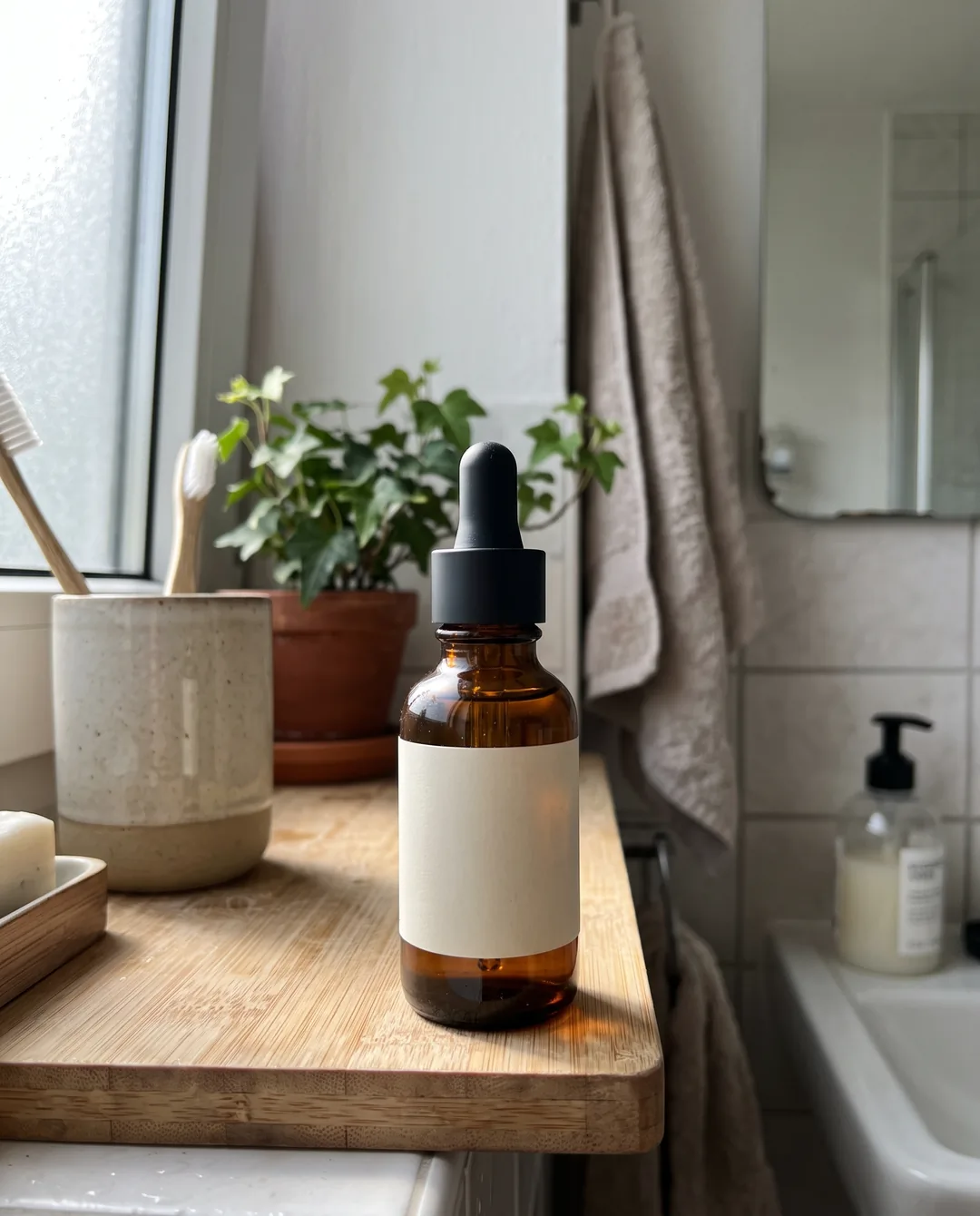
Image and video ads from your Shopify product photos, in 5 styles including the UGC (user-generated content) look, for every placement, in minutes. Your product stays as it is, and you approve every one. Your free trial includes 5 AI ad images; after that it comes with Starter, Growth and Scale.
See the ads it makesQuestions, answered
Why do server-side Purchase events help my ads?
Meta's delivery system decides who sees your ads by learning from the people who buy. If a purchase never reaches Meta, it can't learn from it. PixlBridge sends every visit and sale through the Conversions API, so Meta can find more buyers like them.
I already have the Meta Pixel. Do I still need the Conversions API?
Yes, keep both. The pixel runs in the shopper's browser, and browsers and blockers often stop it. PixlBridge sends the same events from our server, each with a deterministic event_id. When your browser pixel sends the same event_id, Meta deduplicates the two and keeps one copy; a pixel with its own IDs is counted separately.
Do I need my own Meta developer app?
No. You sign in with Facebook (Facebook Login for Business) and pick your ad account and your Meta Pixel. Your login is kept encrypted and refreshed for you.
Can it tell Facebook about sales on Amazon?
Not yet. Coming soon. When it's ready, a PixlBridge tracking link in the ad will note the click before the shopper goes to Amazon; when Amazon reports the order, PixlBridge will match it to that click and send the Purchase to Meta (CAPI).
For the technical folks: what is sent, and how?
Server-side events to the Meta Conversions API (CAPI) with action_source website, event_source_url, a deterministic event_id and an event_time within the last seven days. Purchases add value, currency, content_ids, num_items and the order ID. Shopify events carry hashed em, ph, fn, ln, ct, st, zp, country and external_id plus fbc, fbp, client IP and user agent; Amazon purchases carry the click's fbc, fbp, IP and user agent, since Amazon doesn't share buyer details. Meta deduplicates browser and server events that share event_name and event_id within 48 hours. Amazon is coming soon.
Keep exploring
- Shopify server-side trackingEvery visit and sale from your store, sent to Meta (CAPI).Read more
- AI Ad CreatorFresh image and video ads from your product photos, to test against your best ones.Read more
- Why Meta optimizes for link clicksAnd how purchase events change who sees your ads.Read more
- PricingStart free. 14 days, no card.Read more
Send every purchase to Meta. See the ROAS of every ad.
Try PixlBridge free for 14 days, no card, with 5 AI ad images.