Shopify server-side tracking
Shopify server-side tracking: every visit and sale, sent to Meta
Connect your Shopify store in about 2 minutes. PageView and browsing events reach Meta in seconds and purchases within about a minute, so your ads learn who buys. You see every event in PixlBridge within seconds.
14 days free · No card required · No code

What you get
Shopify and the Meta Conversions API, connected
Purchases reach Meta (CAPI)
Orders come straight from Shopify to our server and on to the Conversions API, so your sales get there even when browsers block the pixel.Deduplication built in
Each event gets a deterministic event_id, so Meta keeps one copy when your browser pixel sends the same ID. One setting to checkNothing to change in your theme
PixlBridge adds an app-owned web pixel through Shopify. No code, no theme edits, and it works with Shopify's checkout.Tracking health at a glance
The My store page shows whether tracking works, which match keys reach Meta for Event Match Quality (EMQ), and what to fix if something's off.Shopify analytics
Revenue by day, AOV, your best sellers, sales by channel, and which Meta ads shoppers clicked.Hashed customer data
Emails and phone numbers are SHA-256 hashed before they're stored or sent. The web pixel follows your store's cookie-consent settings.
Shopify analytics
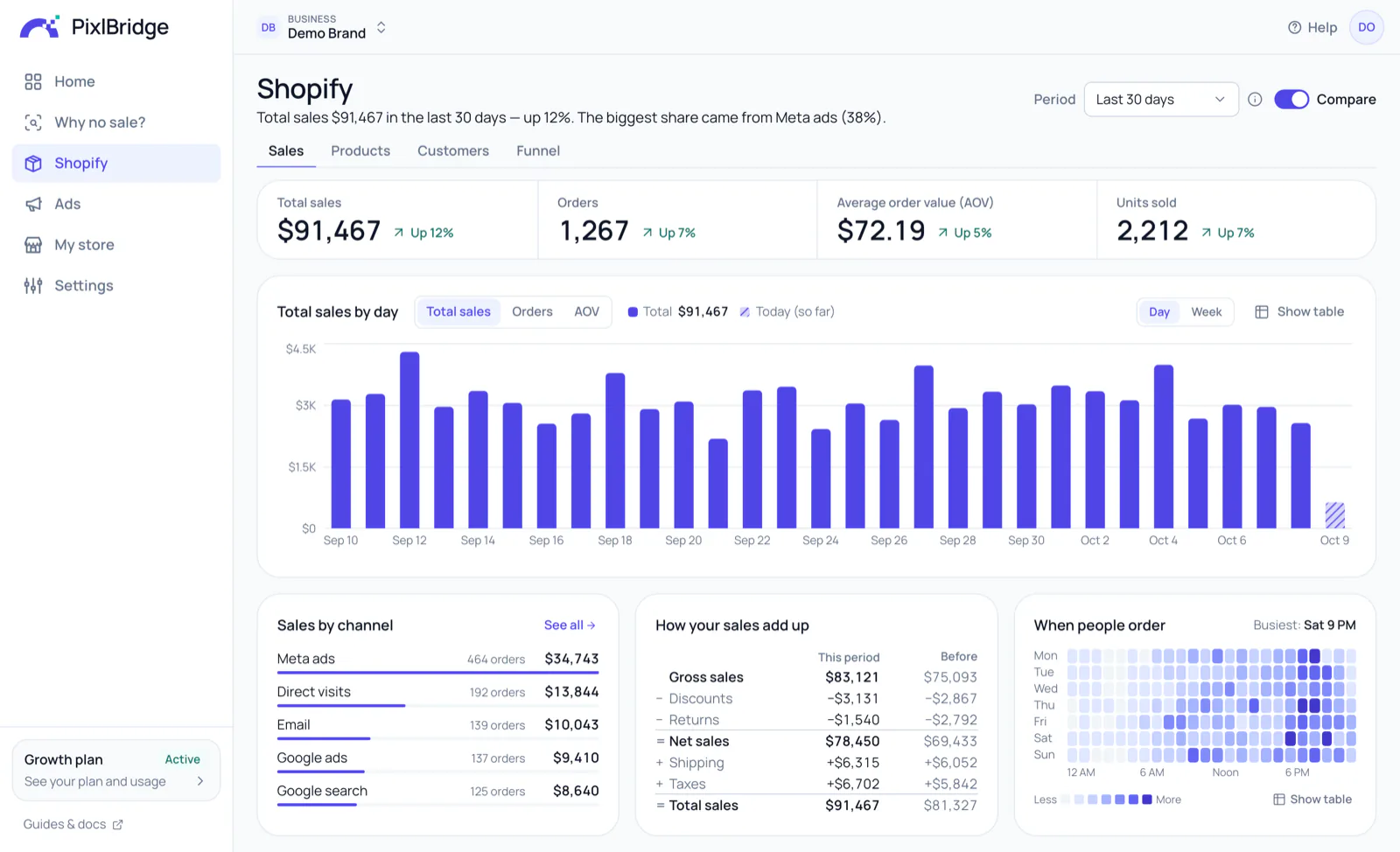
Revenue, orders and AOV on one page
See what sold, when, and where the shoppers came from. Every metric has a little “?” with its one-line meaning.
- Revenue by day, with the change from the period before
- Your best sellers and the revenue each one earned
- Sales by channel: Meta ads, Google, email and more
My store
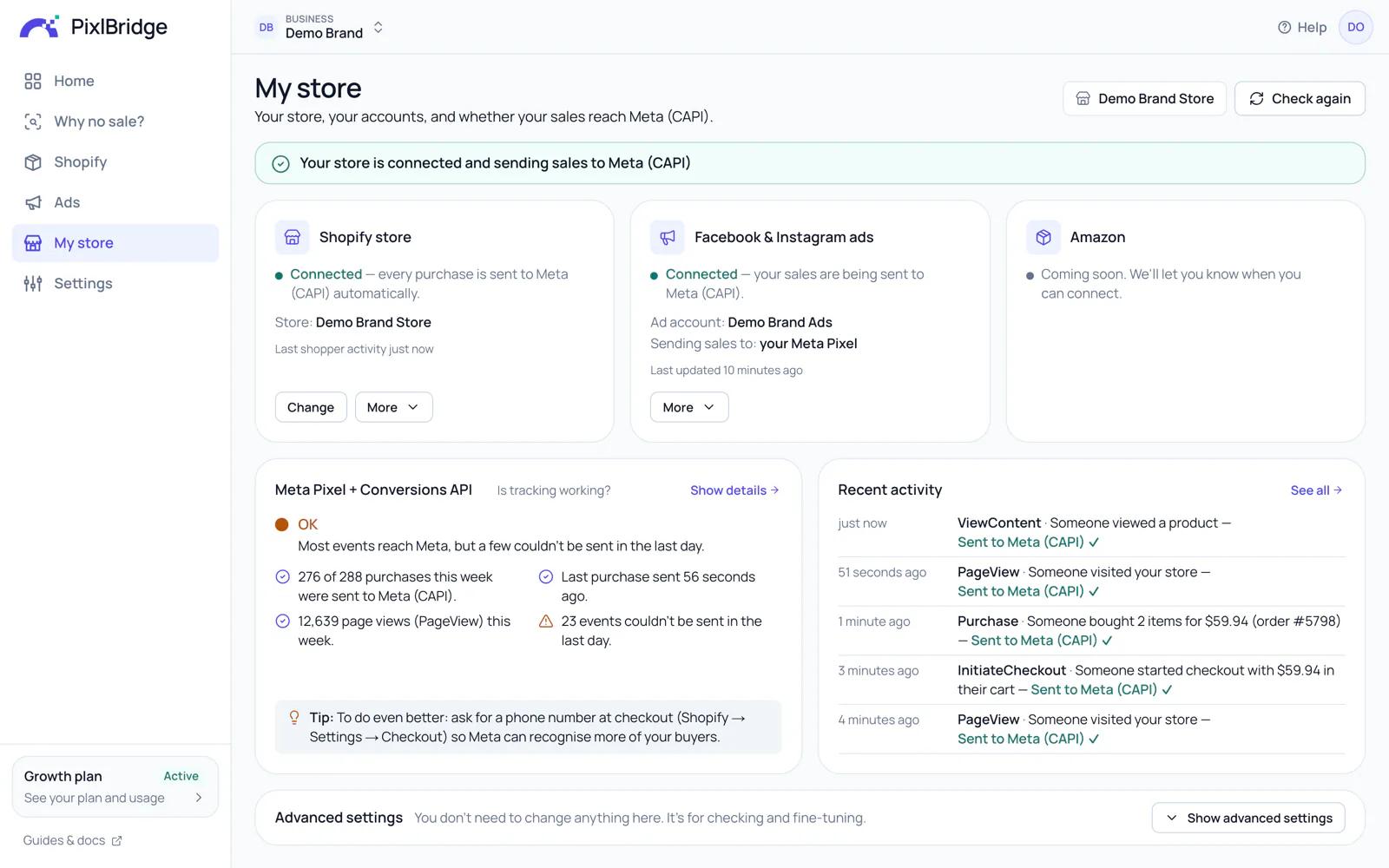
Is it working? One look tells you.
Your store, your Meta ad account, and whether your events reach the Conversions API. If something needs attention, it says what to do, in one sentence.
Set up
Ready in about 2 minutes
No developer, no code, nothing to change in your store.
Sign up free
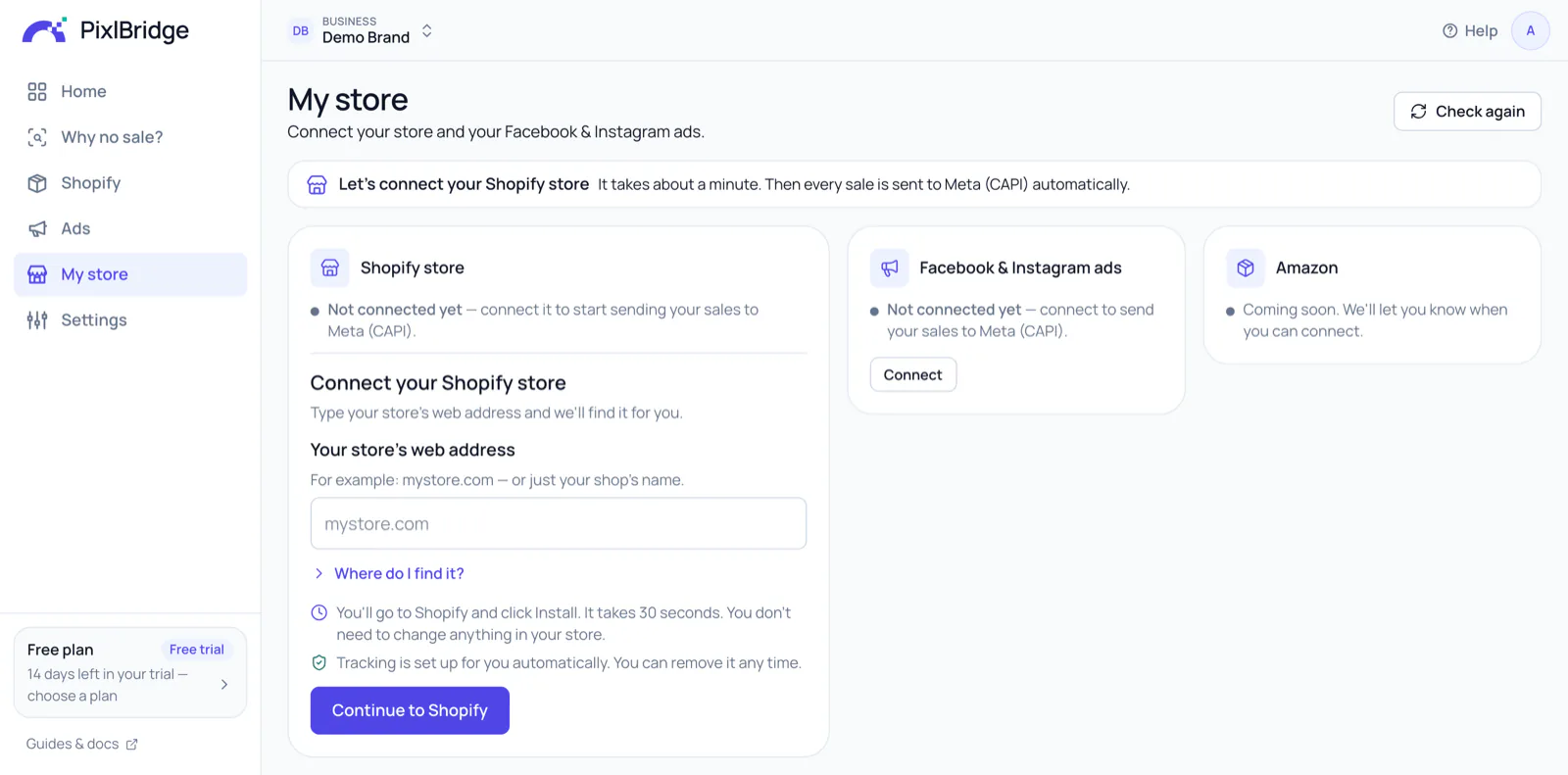
14 days free. No credit card.Connect your Shopify store
Type your store's name, any way you like, and click Install in Shopify. It takes about 30 seconds.Connect your Meta ads
Sign in with Facebook and pick your ad account. Your visits and sales start reaching Meta.
Tip: ask for a phone number at checkout. It's a strong match key, so Meta recognises more of your buyers (higher Event Match Quality).


Also in PixlBridge
The AI Ad Creator makes your ads, too
Image and video ads from your Shopify product photos, in 5 styles including the UGC (user-generated content) look, for every placement, in minutes. Your product stays as it is, and you approve every one. Your free trial includes 5 AI ad images; after that it comes with Starter, Growth and Scale.
See the ads it makesQuestions, answered
Do I need to change my theme or add code?
No. When you connect your store, PixlBridge adds an app-owned web pixel through Shopify itself (Shopify's own pixel system). It works with Shopify's checkout and needs no code in your theme.
Which Meta standard events are sent?
PageView (store visits), ViewContent (product views), Search, AddToCart, InitiateCheckout (started checkouts), AddPaymentInfo (payment details added) and Purchase. You can switch each one off for a store.
I already use Facebook's own app for Shopify. Do I still need PixlBridge?
Keep it: the two work side by side. The free Facebook & Instagram app from Meta sends your store's activity to Meta so your ads can learn. PixlBridge tells you what happened to your money: revenue, ad spend, blended ROAS, the ROAS and CPA of your best and worst ads, and whether your tracking works.
A product gets visitors but no sales. Can PixlBridge tell me why?
Yes. “Why no sale?” shows the funnel drop-off on that product (product views, adds to cart, checkouts initiated, purchases), next to your store's usual rates, and gives you one clear thing to try for each problem. When there simply haven't been enough visitors yet, it says so, so you don't change something that works.
Will Meta count my purchases twice?
Not from PixlBridge alone: each purchase becomes one Purchase event with its own event_id. Meta keeps one copy of a purchase your browser pixel also sends only when the pixel sends the same event_id. Facebook's own Shopify sales channel at its Maximum data-sharing level sends purchases with its own IDs: PixlBridge flags the overlap so you can lower that setting or switch off purchases in PixlBridge for that store. Read the details
What customer information do you keep?
None in plain form. Emails, phone numbers, names, addresses and customer IDs are SHA-256 hashed as they arrive, and only the hashed values are stored and sent to Meta. Shopify's privacy requests (data requests and deletions) are handled automatically.
Which plan do I need?
Shopify stores are included from the Starter plan (1 store) up to 10 stores on Scale. Every new account starts with a 14-day Growth trial with 3 stores, and no card is needed.
For the technical folks: what exactly does it do?
An app-owned web pixel (Shopify Web Pixel API, checkout-extensibility compatible) plus HMAC-verified orders/create, orders/paid, orders/updated and checkout webhooks feed server-side Meta Conversions API events: PageView, ViewContent, Search, AddToCart, InitiateCheckout, AddPaymentInfo and Purchase. Purchases are keyed by checkout token, so the pixel beacon and the webhook merge into one event with a deterministic event_id that Meta deduplicates against a browser pixel within its 48-hour window. Checkout and purchase events wait about 30 seconds so both sources can merge; other events go right away, and due events are picked up every few seconds. The web pixel requires the visitor's analytics and marketing consent where the store asks for it. Match keys (em, ph, fn, ln, ct, st, zp, country, external_id) are normalised and SHA-256 hashed; fbc, fbp, client IP and user agent are passed through. Events go out in batches of up to 1,000 with retries and backoff, and never when older than seven days. Shopify's GDPR webhooks are implemented.
Keep exploring
- Meta Conversions APIROAS, CPA and CTR for every ad, and purchases sent to Meta.Read more
- AI Ad CreatorImage and video ads made from your Shopify product photos.Read more
- Amazon (coming soon)Coming soon: Amazon sales and ROAS for your Meta ads.Read more
- PricingShopify stores from the Starter plan. 14 days free.Read more
Connect your store in about 2 minutes
Try PixlBridge free for 14 days, no card, with 5 AI ad images.